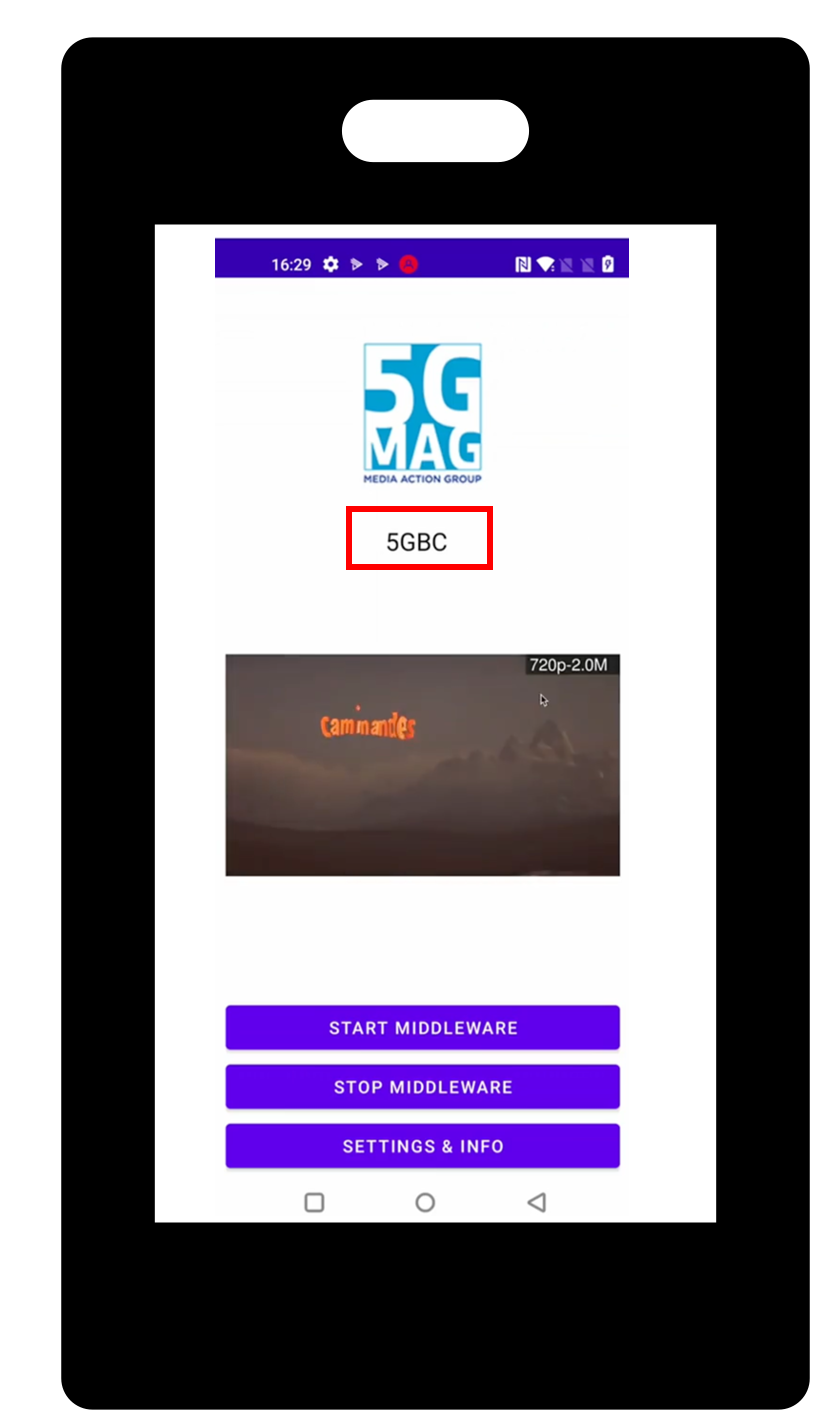
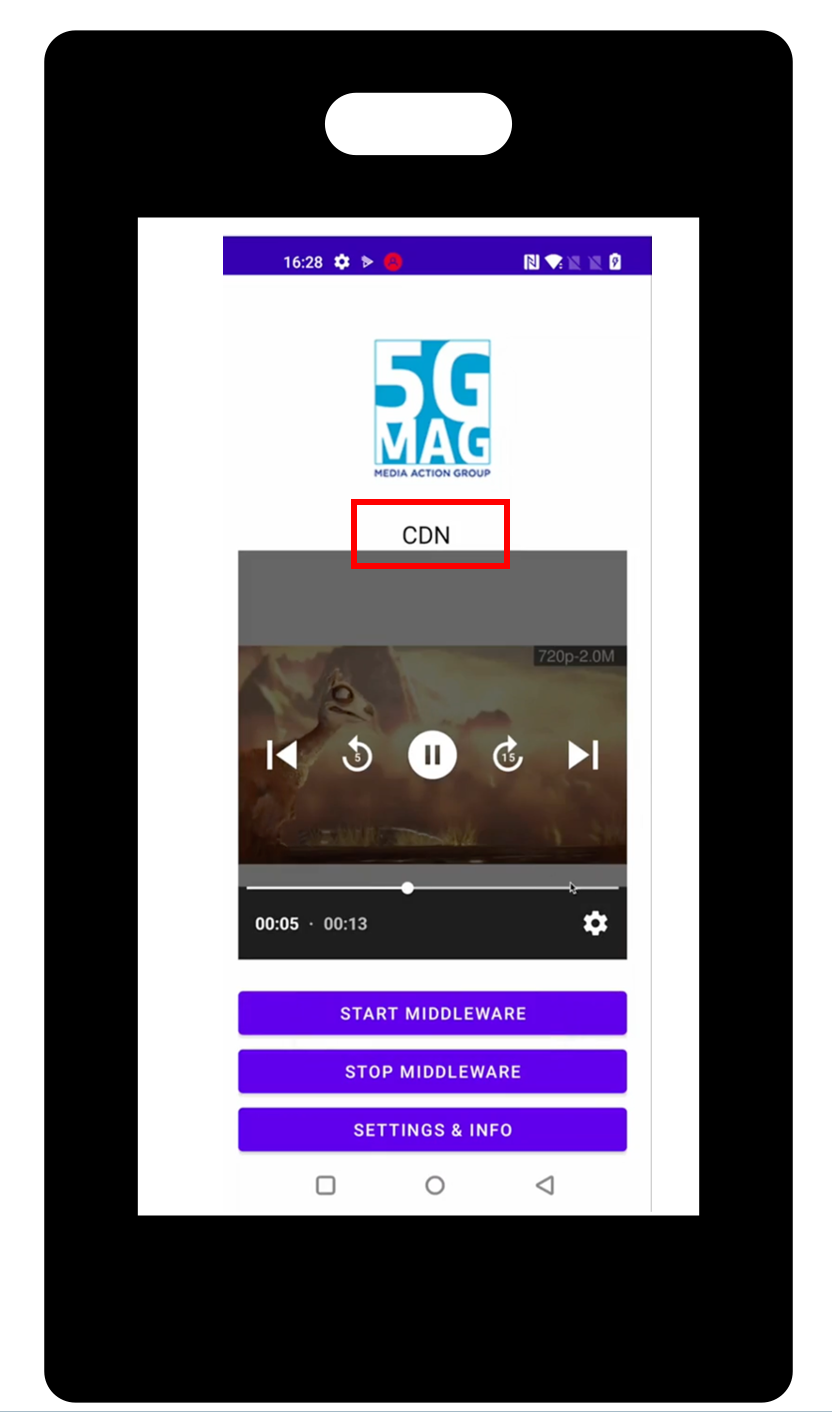
Same device, same stream — left: playing over 5G Broadcast (labelled 5GBC); right: after the broadcast signal drops, automatically switched to unicast (labelled CDN). Both from the real tutorial run.
The use case
5G Broadcast delivers TV and radio to an unlimited number of devices over a free-to-air signal, at a fixed cost regardless of audience size — but only within coverage. Step outside the transmission area, or lose the signal for any reason, and a broadcast-only receiver simply stops. This showcase demonstrates the alternative: a receiver that treats broadcast as the primary path and unicast as an automatic, invisible fallback, so viewers keep watching either way.
Under the hood
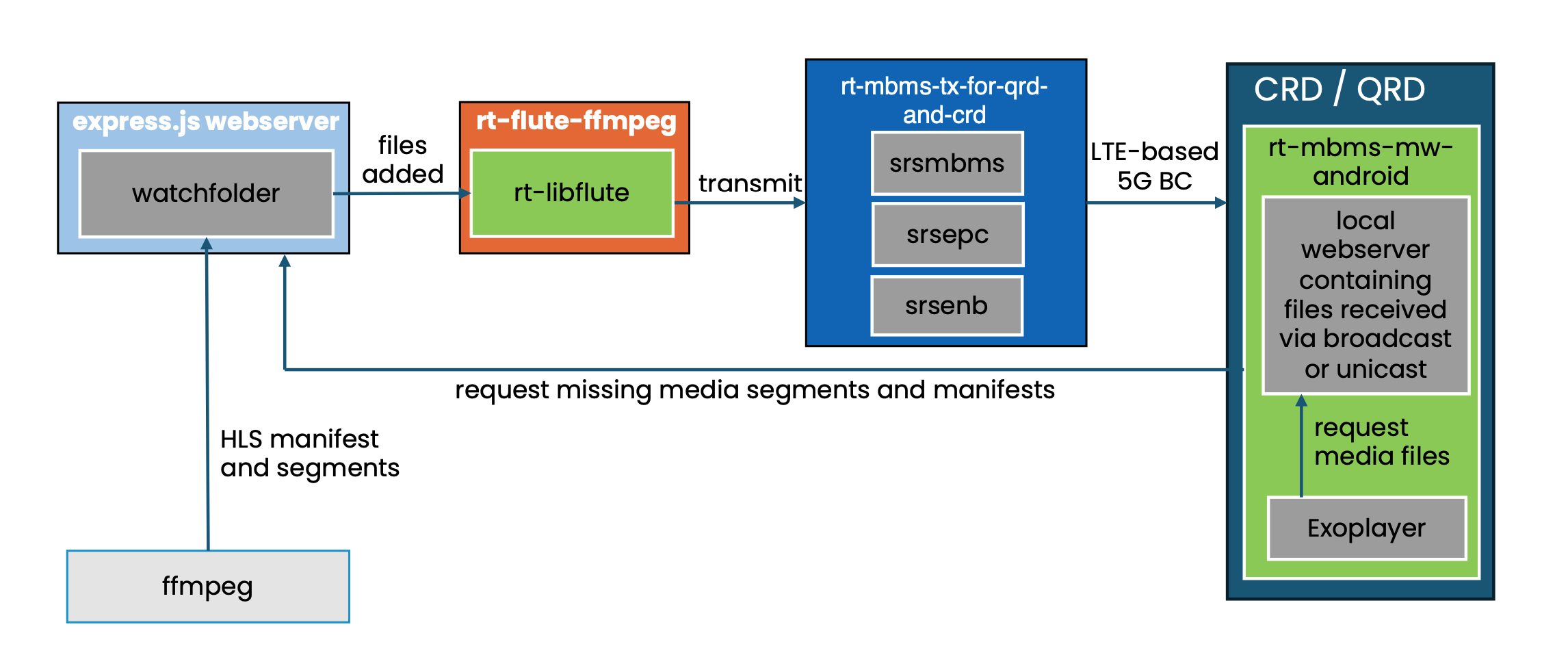
ffmpegturns a plain video file into an HLS stream, written to a watchfolder on a simple webserver — this is the same content also reachable directly over unicast (it's a normal CDN node).flute-ffmpeg(built on 5G-MAG'srt-libflute) watches that folder and FLUTE-encodes every new file as multicast traffic, handed off to the 5G Broadcast transmitter (rt-mbms-tx-for-qrd-and-crd, an srsRAN-based eNB/EPC/MBMS gateway stack).- The 5G-MAG Android Middleware (
rt-mbms-mw-android), running on a QRD or CRD receiver, receives those files over broadcast and exposes them to the device's own media player (Exoplayer) through a local webserver. - The player only ever talks to
localhost— it has no idea whether the file it just requested arrived over broadcast or unicast. - When the broadcast signal disappears, the Middleware detects this and starts fetching the same manifest and media files over unicast from the webserver in step 1 instead, still serving them to the player from that same local address. The switch is invisible to the player.
Built from:
Try it yourself
Follow the step-by-step tutorial to set up the transmitter, webserver and Android Middleware, and reproduce this switch yourself. It builds on the simpler SDR - HLS Playback over 5G Broadcast tutorial if you want the receiver-only setup first.
The screenshots above and the tutorial's own instructions are the only record of this working; no explicit "last verified against version X" statement exists in the source tutorial to repeat here, so none is claimed.
What's Next
Once the switch is running, a few directions to take it further:
- Add QoE Metrics Reporting or Consumption Reporting alongside the switch, to measure rebuffering or startup delay across the broadcast/unicast transition rather than just observing it visually.
- Try the receiver-only SDR - HLS Playback over 5G Broadcast tutorial first if you want to isolate the broadcast path before adding the unicast fallback.
- Swap the fixed test content for a live encode, to see the switch behave under a real, changing stream rather than a static file.
Related
- 5G Broadcast for TV, Radio and Emergency Alerts for the other 5G Broadcast application scenarios.
- Reference Tools for the individual specification implementations.