How to raise issues, fork the project, and submit pull requests to the 5G-MAG Reference Tools.
Contributing follows a simple flow: raise an issue, fork the repository, create a branch, and open a pull request (PR) back to the project. Anyone can raise issues, but a signed Contributor License Agreement (CLA) is required before your code can be merged (see Open-Source Software Licenses). The sections below walk through each step.
Looking for the release process and our git branching model instead? See Release Process & Branching Strategy.
- Meet the developer community, participate, contribute, join the public calls: join the community
- Discussions among developers are held in Slack.
- Announcements are communicated through the Google Group.
- If you have questions which cannot be shared publicly, reach out to us via email: reference-tools@5g-mag.com
Find here the information about:
Raising issues
If you find problems or have requests for new features related to the code, please alert us by submitting an issue.
Who can raise issues? Anyone can raise issues against the projects, you do not need to have signed the Contributor License Agreement (CLA) to do so.
1. Go to the relevant repository

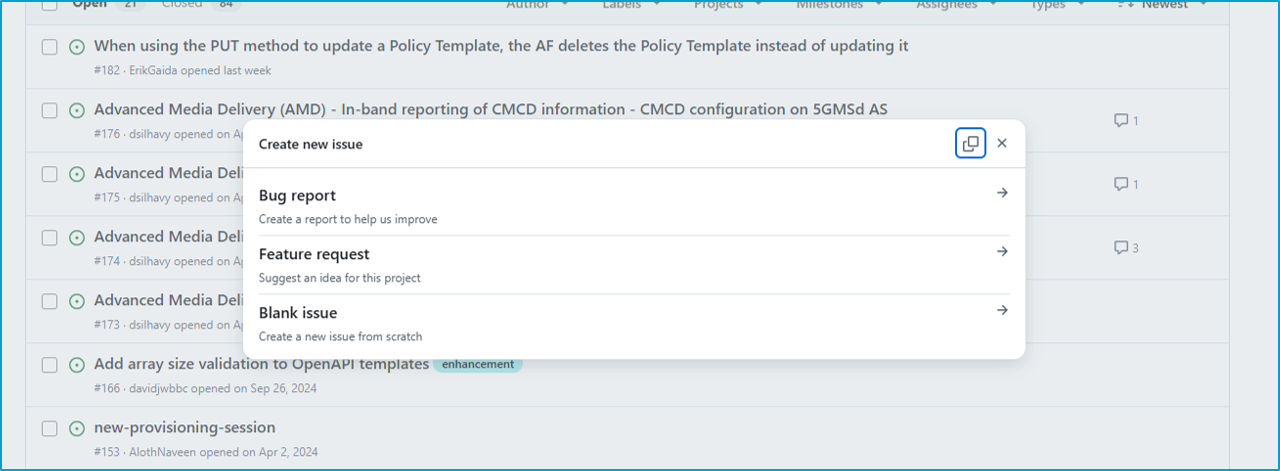
2. Create a new issue, select the type from the menu
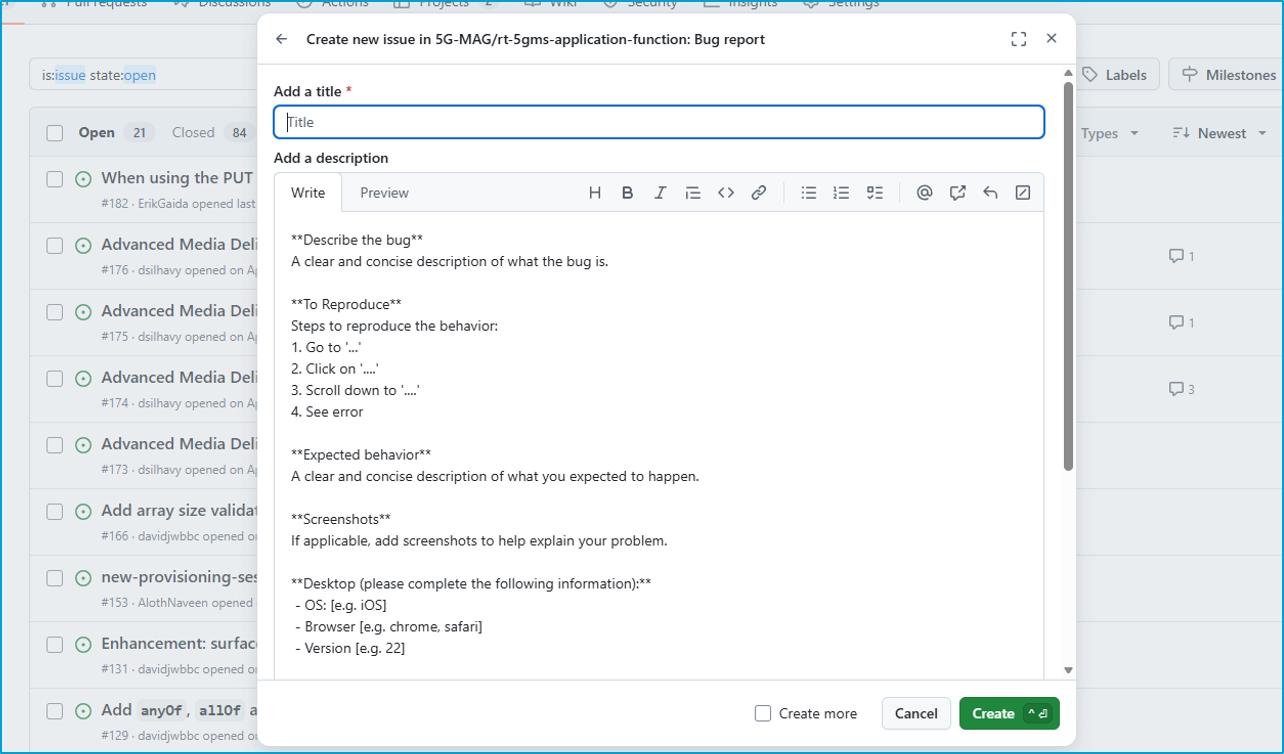
3. Fill the description
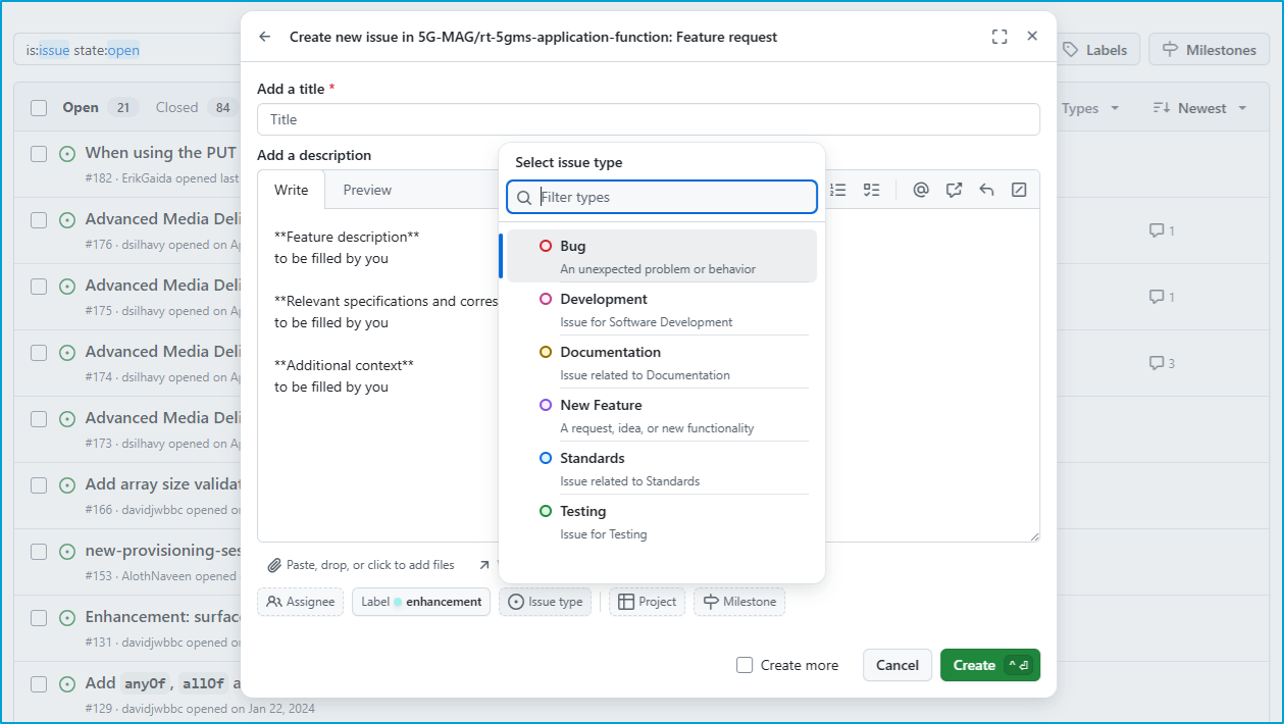
4. Add a label, project,...
Forking the project
To work on a new feature or a bugfix you first need to fork the repository that you want to work on. A detailed guide on how to fork a repository can be found in this guide to forking a repository.
Opening a Pull Request
Once a feature or a hotfix branch is completed a new pull request against the development (in case of feature branches) or the main branch (in case of hotfix branches) is created:
1. Navigate to the list of available branches
Depending on the concrete setup the new branch is available directly on the main repository or on your fork of the main repository.
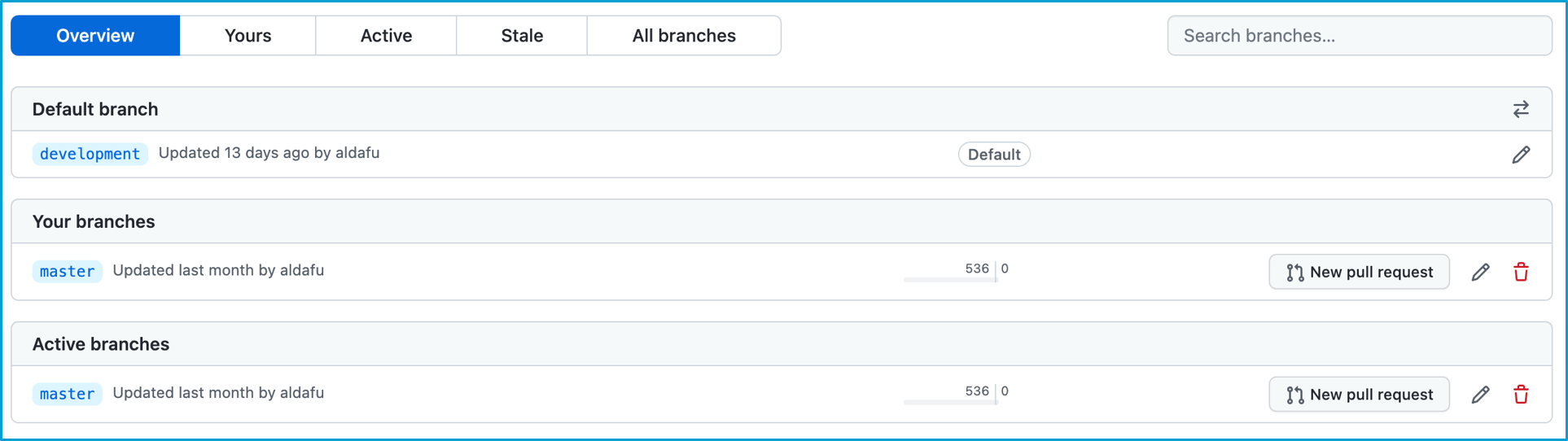
2. Click on "New pull request"
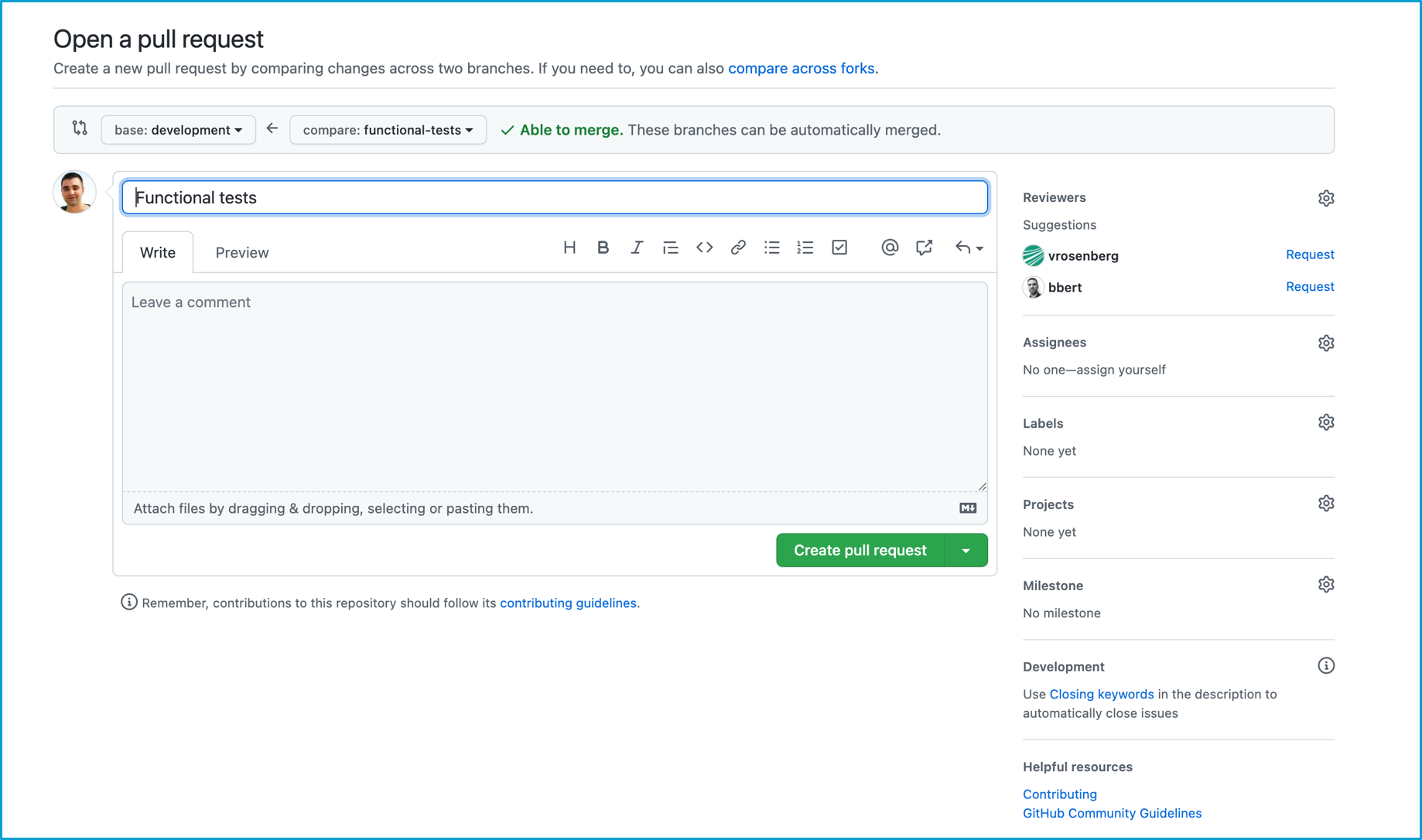
3. Select the target (base) branch
- For
featurebranches select thedevelopmentbranch - For
hotfixbranches select themainbranch